Apple’s Marketing Genius

August 26, 2011

With Steve Jobs stepping down from the CEO post at Apple, is inevitable we look back at the history of such an iconic company. Marketing, at Apple, has always been a differentiating point and key to their eventual dominance of the electronics consumer market and their resurrection in the personal computer industry.

While Brand Republic’s post “Appointment to view: Apple’s History of Marketing” takes us back to the early days of Apple advertising the Apple-1 in 1976 until today’s iPad commercials, Tom Hormby’s “Think Different – The Ad Campaign that Restored Apple’s Reputation”  is a great analysis of the role marketing played in lifting Apple from almost demise to what became the greatest turnaround in that company’s history.


There’s been speculation about Apple’s ad spend but it is clear that Apple’s marketing has always followed a set of guiding principles, no matter how much money they had for the marketing budget at the time.

For more about Apple’s best ads, check out Advertising Age’s “The 10 Best Ads to Come Out of Steve Jobs’ Reign at Apple”  and Marketing Week’s “Apple: A History in Ads”.

Apple: History in Ads

Apple Silhouettes Commercial

10 Best Ads from Steve Jobs


You may also want to check out this video showing the original marketing group at Apple at the launch of the McIntosh reminiscing about the old days, telling tales and sharing some insider stories of what it was like to work at Apple in the early days.

Finally, Guy Kawasaki’s book “The McIntosh Way” talks about his career as a McIntosh Evangelist, the early efforts of Apple to dominate the personal computer market, and more. His book is now offered as a free download.


How Great Content Can Solve Problems

August 18, 2011

This is the third post in a series of “Principles of Great Content Marketing”. The first post talked about creating simple content, and the second post discussed timely content.

The Principles of Great Content Marketing series is based on three core ideas:

  1. Create simple content
  2. Create content that is timely
  3. Create content that solves a problem

The Problem with Content

Content abounds, and no matter what we call it (Whitepapers, eBooks, Videos, Infographics, etc.) we have been getting more and more of it every single day. Via email, via Twitter, Facebook, and word-of-mouth. The problem? Most of the content is not looked at. Or, if it is, is not shared.

Content that isn’t shared usually die without having made an impact.

Useful content will be shared. Even if only internally in your company. Even if only when you call a friend and say “hey, check this out!” and even if only mentioned during lunch with friends when you say “oh, and I just read this interesting article that talks about…”.

Getting Read and Getting Shared

Besides being simple and timely, great content has a third element. It is focused on solving a problem. But not just any problem, YOUR problem.

You see, even if you come across something amusing and decide to pass that on it doesn’t mean you will actually take any action because of it. Entertaining videos are just that, entertaining. Funny quotes are also just that and nothing else. But content that speaks to a problem you are having right now is golden.

If you are struggling with creating your own WordPress website, for example, and there comes a content piece that addresses your current issue (“How to get your WordPress site up and running in 5 easy steps” kind of content, for example) you will drop what you are doing and check it out. If it’s good you will even forward it to a couple people that you know are also dealing with the same issue or maybe send a Tweet about it.

If you had gotten content related to your issue but that doesn’t solve it (“Why use WordPress for your website” for example), it won’t get shared, commented, and more importantly, acted on.

The Content Solution

How do create content with the “problem – solution” in mind? You’ve got to know your audience. Draw buyer personas. Talk to sales and ask them about the prospects they engage. Discuss the typical questions tech support gets during lunch with the tech support manager. Ask around your company, but more importantly, ask outside what are the challenges facing the industry you serve.

Make a list of 5 to 10 items. Then, break those down into small problem statements. You don’t want to have to address something like “world-wide retail operations are low margin, companies are struggling to make a profit” because is too generic and too daunting. Go down a few levels until you have something more tangible, like “apparel retailers are pressured by increasing labor costs in China”. Then, look for what could be a solution to this problem (I’m assuming you sell products or services to retailers) and create content addressing the issue (maybe “5 ways to squeeze more cash out of your sales” or “The new retail mindset and five steps to improve your margins today” for example).

Regardless of the topic, you have to ensure you are addressing a need that your target market has. And, the need could range from basic (“Trends and opportunities in apparel retail”), to more advanced (“How new inventory solutions are transforming the apparel retail industry”), all depending upon your target’s knowledge of the issue and their stage in the buying cycle.

As mentioned in the previous post about timely content, Marketing Automation is a great way to get the right content out to the right person, but you still have to think through all the stages and understand the different needs. It goes back to understanding your market.

Principles of Great Content

In conclusion, you can spend a lot of time creating content in different formats and for different buying stages. What will set your content apart (because you can bet your competitors are also creating as much content as you are) are the three key components:

  • Simple content
  • Timely content
  • Problem-solving content

Keep these three elements in mind when crafting your messages and you will be on the right path to creating great content.


Why Timely Content Always Wins

August 16, 2011

This is the second post in a series of “Principles of Great Content Marketing”. The first post talked about creating simple content.

So just to recap, there are three key principles for creating great content:

  1. Is it simple?
  2. Is it timely?
  3. Will it solve a problem?

Simple content was explained earlier and is a sure way to create engaging and direct content. But, even simple great content can’t win you over unless it is timely.

If you don’t need it, you won’t look at it. It’s that simple.

What is Timely Content?

There are three different perspectives to consider:

  • Content that is a hot topic
  • Content that meets your needs
  • Content that creates urgency

The first perspective deals with the hot issues at the moment. Maybe your industry is going through additional regulations or new certifications are being required. Or maybe there’s this new methodology everyone is talking about. The hot topic is not necessarily something you actually need to do right now, but is top of mind, it will get looked at because is part of the trend.

Content that meets your needs is not necessarily about the hype, like the previous perspective, but rather something related to a mandate or a need. If you were told by your boss that you have to close down one of your locations and you come across a Whitepaper that talks about how to calculate which plant to shut down you will be interested in checking it out. Or, you have to start outsourcing the IT function overseas and a webinar invitation for a “how to outsource IT and not regret it later” just came to your inbox so you decide to register.

Finally, the urgency perspective is also related to creating timely content, but content that has an expiration date attached to it. Promotions that will only run for the next 5 days or those offers that gives incentives to you to act now (or be the first, or among the 10 first) before it’s too late.

Timely Content Perspectives

Being urgent or a hot topic doesn’t help much though, unless the content meets the needs of the reader. Content that answers a need will always win. The best content is one that combines the three perspectives to create something that meets the prospect’s current needs, is a hot topic, and creates a sense of urgency. That’s the best timely content you can create.

Timely content needs to evoke the following reaction from the reader: “I’ve gotta check this out now”. And there is either a download, registration, or whatever the call to action is. That’s how you know you nailed it.

Crafting Content for the Right time

Sending content at the right moment (when there’s a need) is tricky. How do you get to send content to a person who is at the right moment to receive it? That’s one of the big promises of Marketing Automation software, of automating the sending of the right content to the right prospect at the right moment in time.

Easier said than done? You bet. That’s because someone has to actually think through what “right moment” really means and also has to understand what clues will tell the software that the right moment approaches.

Regardless of whether you automate or not, one thing is certain. Timely content can only be created if you intimately know your audience. You’ve got to know what their daily activities are, what their challenges are, and what their hopes are as well. It means talking to customers and prospects, getting out of the building, and learning about the industry you are selling to.

Want some shortcuts? We’ll approach them in the next segment, when we talk about creating content that solves problems.


Principles of Great Content Marketing

August 10, 2011

Whether creating a Whitepaper, an eBook, a new Email Marketing campaign, a web page, or any other type of marketing content there are a few basic principles you should follow:

  1. Is it simple?
  2. Is it timely?
  3. Will it solve a problem?

If you can answer “yes” to all three questions above, you’re on the right path to coming up with great content.

Three Key Questions for Creating Quality Content

Simple content wins all the time. It doesn’t matter how many pages, nice graphics, or famous quotes it has, simplicity is key. Making it simple, though, doesn’t mean dumbing down the message. It also doesn’t mean forgoing colors, trying to fit it in one page, or even chopping it up so that people get it in chapters instead of a full book. Simple content means creating something devoid of distractions that don’t contribute to having a better understanding of the message.

Here are three key questions you should ask for each content you create:

  • Is it worded in a way that anyone will understand the message we are trying to convey? Are we using too many technical terms, acronyms?
  • What part of our message do we want to have the most impact? Is it clear and prominent? As journalists usually say, “don’t bury the lead”.
  • Are we providing action points for the reader? Is there a “call to action” clearly defined that is immediately obvious and enticing?

Want a good way to test your assumptions? Get someone in your office outside the marketing department to read the content you just created. It doesn’t have to be finalized, formatted, and nicely designed. Just a draft or mockup would do. Get a few different people (i.e. the accountant, the receptionist, the IT guy) to read it and tell you what they think. You may get some interesting reactions and questions that can help further fine tune the message.

The Message Behind the Content

Want to make sure the content you and your team just created is really the best you could have done? A good practice is to let the content alone for a while (hours or days). Then, go back to it and read it as if you were reading it for the first time. Then, think about the following:

  • What is the core message?
  • Why is this message important?
  • What does the message mean for the reader?
  • If you were to summarize the core message in one sentence (5 to 10 words max) what would it be?

Write it down (for greater impact, ask another team member to do the same so you can compare notes). Then review it and see if the content you had created still looks like the best you can do.

Sure, in most situations content you create today was due yesterday. We’ve all been there… if we only had more resources! But I challenge you to say that the content you created can’t wait 1 more hour before being sent out (or published, or uploaded). Whether you have 1 hour or 1 day, let it rest. Then come back refreshed to it and honestly assess if there’s a better way of crafting the message.

How Simple Content Will Win Always

A principle of simple design (designing interfaces or products that are simple to use) is to always think of what features can you remove from the product that will make for a better user experience. Think of the iPod, for instance. Steve Jobs removed buttons instead of adding new ones (the iPod never had different “stop” and “pause” buttons, only a “pause” button that was the same as the “play” button).

So think of your content and ask yourself what can you remove? What images, what copy? What content, if removed, will make the remaining content stronger and more appealing? It comes down to asking “what can I remove in order to make the main message stronger?”.

No, is not easy. But it is worth trying.

Next up I’ll talk about the two remaining points, creating timely content and focusing on solving problems.


Email Productivity Tips for Marketers

July 26, 2011

A recent article on LifeHacker talks about tips to get faster email responses. They talk about:

  1. Write shorter emails
  2. Write fewer emails
  3. Ask for a response
  4. Start with a deadline
  5. Only email one person at a time

Those are good, but I’d like to expand a bit on them and also put it in the perspective of a marketing manager.

Five Email Productivity Tips for Marketing Managers

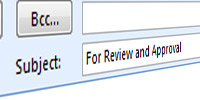
Email Subject Line1. Make subject lines work for you: Use subject lines with deadlines and action verb in order to help people spot your email easily in their inbox and to get them to act. Examples of subject lines might be:

“Webinar Email – Review Copy by Wed 10am”

“eBook Copy Approved with Changes – Finalize by Thursday”

“For review and approval – deadline is Wed 9am”

I like using either a campaign name or something that will help immediately identify the task at hand. If you start showing good use of this tactic and encourage your team to do the same, spotting the useful emails from the junk or from the typical corporate communication will be much easier.

Bonus tip: Transform your email into an action item! If using MS Outlook, just click and drag the email to the Tasks panel to create a task. Or you can also flag the email for later follow up. Other email clients have similar options.

2. Write with a purpose: Short, clear, and action oriented (what do you want to happen?) emails will get faster and better responses. So cut to the chase and get down to what you want as a result of your email. Examples are:

“Here’s the revised copy for the email invitation to the July 16 webinar. Please a) edit copy; b) send to Mark for design by Wed, c) email me the final email for approval”

or

“Jen, I have reviewed the presentation for the webinar and here’s what you need to do: a) add the company logo to the master slide (upper left corner); b) replace slides 3 and 5 with the new ones I mention in my notes; c) review once more for grammar and style; d) send to John for formatting by Tues noon.”

Replace paragraphs with bullet points and you’ll get people to actually do what you asked them to do. Keep each email related to a separate subject, this way is easier for the recipient to focus on one thing at a time and for you to follow up later.

Bonus tip: Need to follow up on an email you just sent a few days later? In MS Outlook you can “flag” the message before sending so it reminds you of the message later (you can also flag the message for the recipient, so if they have Outlook as well, they will be reminded of the message until they clear the flag).

Making deadlines clear3.  Make the deadline clear: If you don’t say when you need it by, usually you won’t get it done. Make sure to add a deadline and action required (eg. Make changes and send back to me by EOD friday) in the beginning of the email. This way the first thing the person sees is the deadline and he or she can plan accordingly. For example, you can start the email like this:

“Jen, I need this by EOD Thursday! See below.”

or

“Edited and approved copy for eBook below. Please finalize by 07/15/11 at 12:00pm ET!”

Avoid using “urgent” and “ASAP” type words. They don’t mean anything. Is ASAP something due today or by tomorrow morning? Also avoid saying “send it back to me tomorrow” without giving some kind of time reference. Otherwise it becomes a debate of what “morning” means (8am or 11am?).

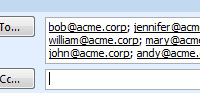
Assigning email to multiple people4. Assign an owner: Send the email to only one person, or make sure each person has an action. You may be tempted to email the whole team after a meeting outlining what was decided. Or, there’s a task involving two people (editing the new banner artwork and sending to the printer, for example) and you want them both to see the same message. OK, but make sure each person listed on the “to” or “cc” lines have some kind of action item associated to their names. It could, for example, be like this:

“Team, I need you all to read and add the following to your to-do lists based on our earlier meeting today:

Jen: Review web analytics and report back to me by Friday 11am;

Bob: Edit the latest spec sheet design as discussed, send reviewed design to Mary by Thursday 9am.. ”

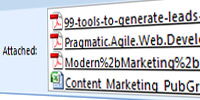
Multiple attachments can cause confusion5. If you attach, then make it clear: At my previous company we had a policy of never attaching a file to an email if the email was being sent internally. This was to avoid two problems, the always precious server space being eaten by files attachments in our Exchange server and to keep the latest files always in the network where it would be easier to find. Whether you have a policy like that or not, if you need to add files to your email then list and describe attachments (and name them appropriately). It could be something like this:

“… and I’m attaching the following files:

7-16-Webinar-Preso.PPT: Final version of the webinar presentation

Alpha-Prod-Whitepaper-CopyV2.doc: Whitepaper draft, please review this copy ”

Especially useful if you have many attachments, it helps ensure all attachments are accounted for when you send out the email and helps the receiver sort through all the files coming towards him/her.

Assigning Tasks Marketing Technology for Workflow and Productivity

Unless you have a system like what my company offers [shameless plug!] for Marketing Resource Management or Marketing Project Management, odds are you rely on email to keep your team in check. You use email to exchange files, to communicate, and get things done. That’s ok, and by using some productivity tips I hope you can at least make good use of the tools at your disposal and spend less time chasing down people and deadlines, and more time actually doing marketing.

Additional Outlook Productivity Tips

Additional outlook tipsIf you’re using MS Outlook, then check out additional productivity tips I have for Outlook users in this other blog post.


Marketing Events You Can’t Miss

July 21, 2011

It seems Marketo has a nicer way of presenting Marketing Conferences. I did a post back in February listing upcoming marketing events but I have to agree a nice graphic is so much better!

Check out below.

Must Attend Marketing Events by Marketo


How Viral Marketing Can Kill You

July 13, 2011

Flu Shots Sign picture from Confluence! by smilla4 @ FlickrViral Marketing, or the spread of ideas (also called Word of Mouth Marketing) is usually thought of as a good thing. You create a video or a campaign and everyone starts talking about it. You go home happy and maybe even get a promotion. But sometimes the “viral” element more closely resembles the bad kind, the on that kicks you in the teeth and puts you out in bed for a week.

Scott Stratton, author of “UnMarketing: Stop Marketing. Start Engaging.” tells in his book a personal account of how a viral marketing campaign went wrong. It is the best example I’ve seen so far of a)someone owning to his mistakes, and b)a marketing idea backfiring really bad.

The Start of a Good Idea

As Scott tells in his book, he was into motivational speaking and decided to put out a short video (this was in 2004, way before YouTube became the default video sharing site) in his website. It was really a rotating slide show with background music and some inspiring text on top, nothing fancy but was well done. You can watch it at www.thetimemovie.com.

His intent was to get people to watch the video, and contact him for a speaking engagement. Did he get what he wanted? Well, yes and no. He did get over 4 million views (yes, 4 million!) but… things didn’t necessarily work according to plan. Here’s why.

Breaking the Bank

After creating and uploading the video to his server, which was just a regular ISP that hosted his site, Scott emailed a couple hundred people from his list about it. Emails started coming back saying they were getting a “Page not found” error. Oops, what’s wrong? Well, his server had a monthly bandwidth limit, meaning only a certain number of hits to the page and downloads were allowed based on the plan he had at the time. That meant people were going to his site and because he had already exceeded his monthly allotted bandwidth, the server was denying visitors the video!

As he called the ISP and asked them to remove the bandwidth limit, the video went back online and people starting watching it. In droves. He got a $1,400 bill (a bit more than the typical $9 per month he had before the video went up) due to the hundreds of thousands hits he was getting on his video page. And that was just for that last week of the month! Ouch!

Engaging Viewers

Having put up a landing page to capture people’s email addresses was a good idea, but a friend pointed out that it was too confusing, there was just too much about him on the page and no clear call to action. With a quick redesign, he increased conversion from 8% to 24% and started amassing 4,000 new emails per day that he would later use for his newsletter.

Trying to avoid even more expenses (the scar left from the monthly hosting bill was still visible) Scott then decided against using an ESP (email service provider) and went ahead to email his newly acquired list using Outlook Express. Yup, not the full featured MS Outlook businesses use via an Exchange server, but the stripped down consumer version that used to come free with every new MS Office installation.

The process was simple, but time consuming. He would download the new emails captured by the landing page (19 hours downloads) and manually cut and paste each one into the email client. Out of frustration he deleted 140,000 email addresses. In the first couple weeks.

After also playing with free open source scripts to help get the email addresses imported into his email client, and not being able to do so, Scott caved in and went with Aweber, an email service provider which made the job of getting emails and sending out newsletters much easier.

Successful Failure?

There are those who would love to win the lottery, and those who actually play it. That’s what this next episode of his viral marketing gone wrong reminds me of. Scott was trying to get speaking engagements and created a great video that went viral. The problem is that he never actually believed, or was prepared, for the number of speaker kits he received. Back in ’04 when you wanted to screen someone prior to offering an speaking engagement, you would ask for  a “speaker kit”, which consisted of a resume, pictures, and tape reel showing snippets of that person actually giving a talk.

So after two weeks of the movie going live, 50 requests came in. How many speaker kits did Scott have prepared for the eventuality? Zero. And he was personally doing every speaker kit himself (printing, making copies, punching holes, and mailing). About 785 speaker requests came in before he was able to work out a good process to fulfill them properly. Requests for one of his “Relaxation on Demand” CDs were so many he had to refund people’s money because he couldn’t have burned the CD’s (yes, he was doing it himself) on time… and people complained they just wanted the product!

So, in the end was it all a waste? I wouldn’t say so, since Scott was able to book over $100,000 in new business but he definitely lost some potential business. The worst that could have happened I guess is if his reputation had been ruined because of that, which didn’t happen.

A Viral Marketing Lesson

“Please learn from my pain” – Scott Stratten

What can we learn from Scott’s mistakes?

  • Define success: what do you consider success? How will you be able to tell whether your viral marketing campaign was successful? Define metrics that you’ll use to make sure you haven’t wasted your time or money.
  • Be prepared for the traffic: can your website, call center, sales reps, and other relevant operations handle the potential surge in traffic? Sure, today you have YouTube to host videos but make sure you have all pieces in place before you start the viral engine. You don’t want it to break as the user is clicking your “buy now” button or similar.
  • Collect and Engage: make sure you have a way to collect information from those interested in learning more about your products or services, and have a process that will make collecting such information easy on you. Tweak your landing page, and test different versions. Also have a plan for following up and keeping up the interest and dialogue.
  • Plan for the success, and for the failure: be prepared, and react fast. Whether your success is bigger than anticipated or the idea failed miserably, know how you will handle it and make sure your team (if you have one) is ready.

Failure stories abound on the Internet, I just had not seen such a detailed account of “I screwed up” from someone like Scott. For more info on his book, check out the link below.

P.S.: If you’re in San Francisco you should come to the San Francisco Marketing Book Club where we’ll be discussing UnMarketing during our upcoming meeting.

Amazon Link to UnMarketing

UnMarketing Book cover


Reinventing Marketing at GE

July 7, 2011
General Electric Ecomagination Marketing Advertising

GE's Ecomagination Ad Campaign - Result of the Marketing Transformation Process

Who would have thought that General Electric (GE), one of the most admired companies in the world didn’t have a substantial marketing organization up until recently. And I’m not talking in number of people (they had 2,500 marketers a the time), but in its role related to strategic decisions, branding, and overall market direction.

In “Unleashing the Power of Marketing“, Harvard Business Review tells us an interesting tale of how GE transformed its marketing operations and gives us an interesting framework for applying to other businesses. The goal at GE was to transform marketing from a support function to an active player in driving revenue.

“Our framework centered on giving marketing a revenue-generating role in its own right.”

It’s a story worth reading, but since you may not have access to HBR (the article above requires subscription), here’s a summary.

Marketing as a Function

Building products that sell themselves is a neat idea and had worked well for GE for years. But, as the article points out, “The businesses were maturing, and like other companies, GE was learning that it could not win simply by launching increasingly sophisticated technologies or by taking existing technologies to new markets. Some of its best-thought-out new offerings were fast becoming commodities.”

GE then started to create a framework for its marketing group and came up with three core components:

1. Principles
After a thorough assessment of their expertise and functions, GE came up with eight disciplines organized into two groups, go-to-market activities, and commercial essentials. They became the core principles driving their marketing organization.

2. People
Their next step was to understand the roles marketing should play at GE. They came up with four roles: Instigators, Innovators, Integrators, and Implementers.

3. Process
Having identified what they wanted from marketing, GE then started putting together metrics for evaluation of the marketing teams and started a process called Maturity Evaluation.

Principles of Marketing at Work

It started from the top down, with Jeffrey Immelt (the CEO) pushing marketing to have a “line” role instead of the historical “staff” role it had at GE. Marketing started to be held responsible for critical operating mechanisms like pricing and quantifying customer value. Marketing started to play a role in determining not just what the customer needed but also in applying technology to better meet customer needs.

As marketing started to work in new innitiatives, expanding its role, more funding was provided and new offerings were created.

“In all these initiatives marketing gets into the game at the start, sizing “white space” opportunities, meshing unmet needs with new technologies, and moving our brand in new directions.”

A new Marketing Framework was created, comprised of eight disciplines:

  • Strat­egy and innovation
  • Brand­ing and communications
  • Sales force effectiveness
  • “New World” skills
  • Mar­ket knowledge
  • Seg­men­ta­tion and targeting
  • Value cre­ation and pricing
  • Com­mer­cial activation

Throughout the transformation process, this framework was refined and always referred to.

Key Marketing Roles

As they progressed with their marketing transformation, GE also identified a few key marketing roles that would become essential for transforming the organization:

The Instigator
Marketers have to challenge the status quo and look for new and better ways of doing things.

At GE some units had a tendency to develop products because they could, not because the market needed them. Marketing helped business leaders think outside their usual market and started to identify opportunities that weren’t even on the table previously. It’s more than market research, is looking outside and understanding the changes happening in the marketplace, in buying decisions, and in who your target market really is. Armed with data, marketing leaders could then discuss new directions with business leaders and show other approaches to growth.

The Innovator
Turning marketplace insights into untested products, services, or solutions.

While in the past marketing was relegated to simply passing information along to the groups responsible for innovation (R&D or engineering), the new marketing team started taking an active role in more than just advertising or market research expanding its reach beyond product features and functionality to include pricing, delivery, customer engagement, and new business models.

For example, in the Aviation market GE used to sell engines on the basis of thrust and other quantitative metrics and has since changed its approach to focus on operational efficiency and resource productivity.

“Innovative marketers use unique marketplace insights to come up with products, services, or solutions based on untested ideas.”

The Integrator
Building bridges across silos and functions and between the company and the market.

At GE it was recognized that marketers sometimes have to be translators. They have to speak product language with R&D and customer language to the sales force. But more than that, marketing has the capability of bringing disparate groups in the organization together to assess market dynamics and help the company cross-sell bundled products. During crisis (like the recent economic downturn), marketing can help bridge the gap between businesses and help them have an integrated view of distribution, pricing, sales, and more.

The Implementer
Executing on ideas.

“Getting things done” is probably the most critical skill of a marketer, even more at GE where those without direct P&L responsibility have a tough time getting resources and driving change.

“Marketing leaders have to build coalitions and persuade others, using functional expertise, insights, and teamwork rather than authority”

At GE, for example, marketing had to gain trust little by little. First, by giving business units competitive information, industry analysis, and the like. With time, and success in the early efforts, other units started to request help with specific projects.

Marketing Maturity and Knowledge Gap

Understanding what needs to be done is only half the battle, the other half is getting people to actually execute. GE started to hire marketers effectively doubling the marketing organization in size from 2,500 people in 2003 to 5,000 today. CMO’s were appointed for each GE business and also at the corporate level, tapping both internal staff as well as hiring from the outside.

They also conducted a Marketing Maturity Evaluation, to better understand what was missing from their marketing toolbox. This evaluation became an annual affair where CMO’s would convene their marketing teams and go through the survey for measuring specific skills, performance results, and understanding possible gaps.

The maturity evaluation surveys had a list of 35 skills and 140 definitions. Each capability had a description of what success looks like. The teams would score their units and review the assessments with business leaders, then they would roll up the score to eight capability areas and see if the scores were aligned across the organization. As marketing teams worked on these self-audits, they created a common language across all marketing staff regardless of business unit. With results in hand, CMOs and CEOs started to see areas that needed improvemeent and could work towards getting the right training or resources needed.

Transforming Your Marketing Organization

Think you have a tough time? Well, if GE can transform its marketing organization and reinvent itself in only a few years, think how much more you could do and how much faster!

Start by looking at what marketing capabilities you need in your team. Then, do a gap analysis (or maturity analysis like GE) and candidly assess where you and your team stand. Put a plan in place to either hire or train people to reach the level you require and also identify what roles marketing should play in your company.

Do you see marketing as Instigator, Innovator, Integrator, or Implementer? Maybe different situations require a different profile, but in that case be ready to get your team members up to speed on what each role requires.

If you have to get different results and don’t know how to start, I hope this story gave you some food for thought.


Further Reading

Additional resources related to General Electric’s marketing transformation:


12+ Tips for Trade Show Success

June 29, 2011

Trade Show pic by jeckman from FlickrMake Your Trade Shows Count

The old fashioned trade show may not be the hottest topic coming through your inbox these days but odds are that you may still be doing quite a few events and have trade shows as part of your marketing budget. So how do you make the most out of it?

A recent MarketingProfs article, Is Tradeshow Marketing Dead?, brings 12 tips for ensuring shows deliver the leads you expect. It’s a good basic list to get you pointed in the right direction (and I’ll add my two cents right after):

  1. Start planning early
  2. Make sure the audience is a good fit
  3. Get on the presentation agenda
  4. Establish a service level agreement with sales
  5. Negotiate for the full list of registrants
  6. Promote your participation to customers and prospects prior to the show
  7. Demand aggressive and professional performance from booth staff
  8. Capture detailed lead information
  9. Provide giveaways, raffles, and tchotchkes
  10. Enter all leads into a CRM system for Sales follow-up
  11. Continue post-show marketing with an appropriate offer
  12. Hold a post-mortem review with Sales and Marketing

A few more tips

As I said, a good list but I would also add the following:

A. Hold a pre-show meeting

  • Get everyone, especially sales, who will be attending the show to jump on a conference call (or conference room if everyone is in the same building) and go over the show plan. This includes reviewing show and expo dates, setup and tear down times, and working out a schedule for staffing the booth. Tell the sales reps what the giveaways are going to be, any details about lead capture devices, and other relevant information. The goal is to get everyone on the same page and be productive once the show starts.

B. Promote your session

  • If you’re presenting a session at the show (like item number 3 of the MarketingProfs list says), then try to promote the session at your booth. Print small reminder cards and give to people that stop by, and check with show organizers if you can do a prize drawing during your session (good for driving attendance).

C. Put marketers to work

  • Ideally at least one person from the marketing team should be at the show, even if for only one day. Marketing’s goal is to help out with sales efforts and interact with customers and prospects. That’s a great opportunity for marketers to get to know the target market better and listen first-hand to what customers have to say about the company, product, and competition. Talking about competition, marketing folks should walk around the expo floor and check out what the competition is doing. Take pictures of booths and stands that are interesting, make notes of cool giveaways. Everything at the show floor is good food for thought that can help improve your own presence at the next show.

D. Blog about the show

  • Use the tradeshow as an opportunity for content creation. Blog about the show attendance, take pictures of your customers and post them in your blog. Talk to other vendors about the industry or the show, and get them to also post comments in your blog. The event can generate a good couple of blog posts at least!

E. Take pictures

  • As in the previous suggestion, take lots of pictures. If you’re giving away a prize, take picture of the winner(s). As customers stop by to say hi, take pictures of them and their sales reps. Show organizers came over to check how things are going? Take a picture of them in front of your booth. Why? Everyone loves pictures, especially if they’re in the picture. As you send out post-show emails (thanking people for stopping by, etc.), place a link to the pictures you took. Pictures also make for good blog post after the show.

F. Provide content people want to read

  • Think “content marketing” and put your content marketer hat during the show. If you or anyone else from the marketing team can’t stay for the duration of the show, make a point to get help from sales or a business partner to jot down some notes about the sessions going on at the show. If after the event you can writeup a short blog post or email with “ten great lessons from the show”, you’ve got yourself a great content piece people will read and forward.

So there you have it, 12 plus 6 additional tips for making your tradeshow a successful event!


Content Marketing eBook and Infographics

June 23, 2011

A Content Marketing eBook

Content Marketing is all the rave, that’s part of what drove me to do some research on the history of content marketing and publish this free eBook, A Brief History of Content Marketing. I was curious to see how marketers of the past have used content marketing strategies to attract and engage customers before the Internet Age.

The result was a fun project, and many findings. Who would have thought giving away free recipe books could save a company? Or that Microsoft (of all companies) was the first of Fortune 500 corporations to have a corporate blog?

Download the eBook and let me know what you think.

Brief History Content Marketing eBook

The Rise of Marketing Infographics

Also interesting to me was the amount of Infographics, especially ones related to marketing, that I came across during my research and that have been released just now. Here are some great Content Marketing Infographics you may enjoy.

Content Marketing versus traditional marketing

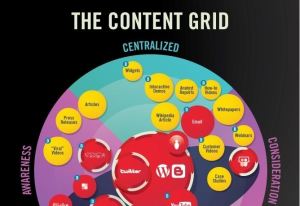
Content Marketing Grid

The problem with content marketing infographic

The Rise of Content Marketing Infographic

Appetite for Content Infographic

Content Marketing Grid Infographic

 Did I miss a great Content Marketing Infographic? Let me know!